
R18 PATCH
Notice of Free Distribution: StreamLove Voyage [R-18 Patch]
Thank you very much for purchasing the Steam-exclusive PC game StreamLove Voyage.

How to Apply the R-18 Patch
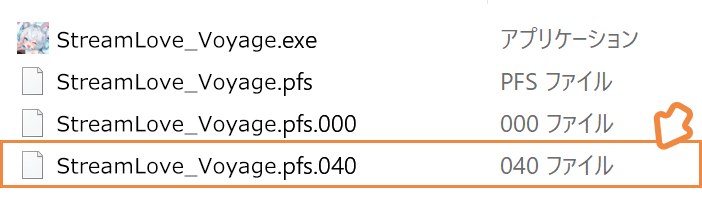
Please copy the "patch" file into the folder where StreamLove Voyage is installed.
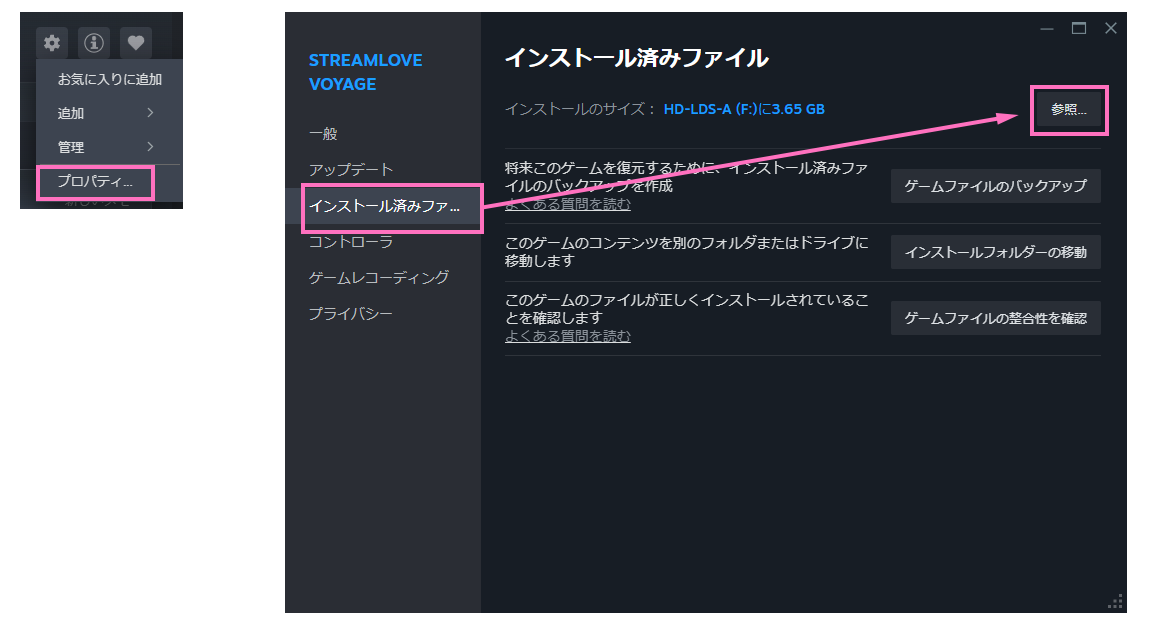
To locate the installation folder via the Steam client, right-click on the game in your Library,
open the Properties window, go to the Local Files tab, and click Browse.
To uninstall the patch, simply delete the "patch" file that was previously copied into the StreamLove Voyage installation folder.
Important Notes
Please make sure to exit StreamLove Voyage before installing or uninstalling the patch.
Installing or uninstalling the patch will not affect your saved data.

©Confiture/iMel/NEXD